

How Can Medical SEO Services Turn Treatment Searches Into Appointments?
Oct 27, 2026


A redesigned medical website may look better but still lose search traffic if important URLs, redirects, content, or technical settings are changed incorrectly. Use a structured recovery process to identify the cause and prioritize fixes.
Get Medical Website SEO Support
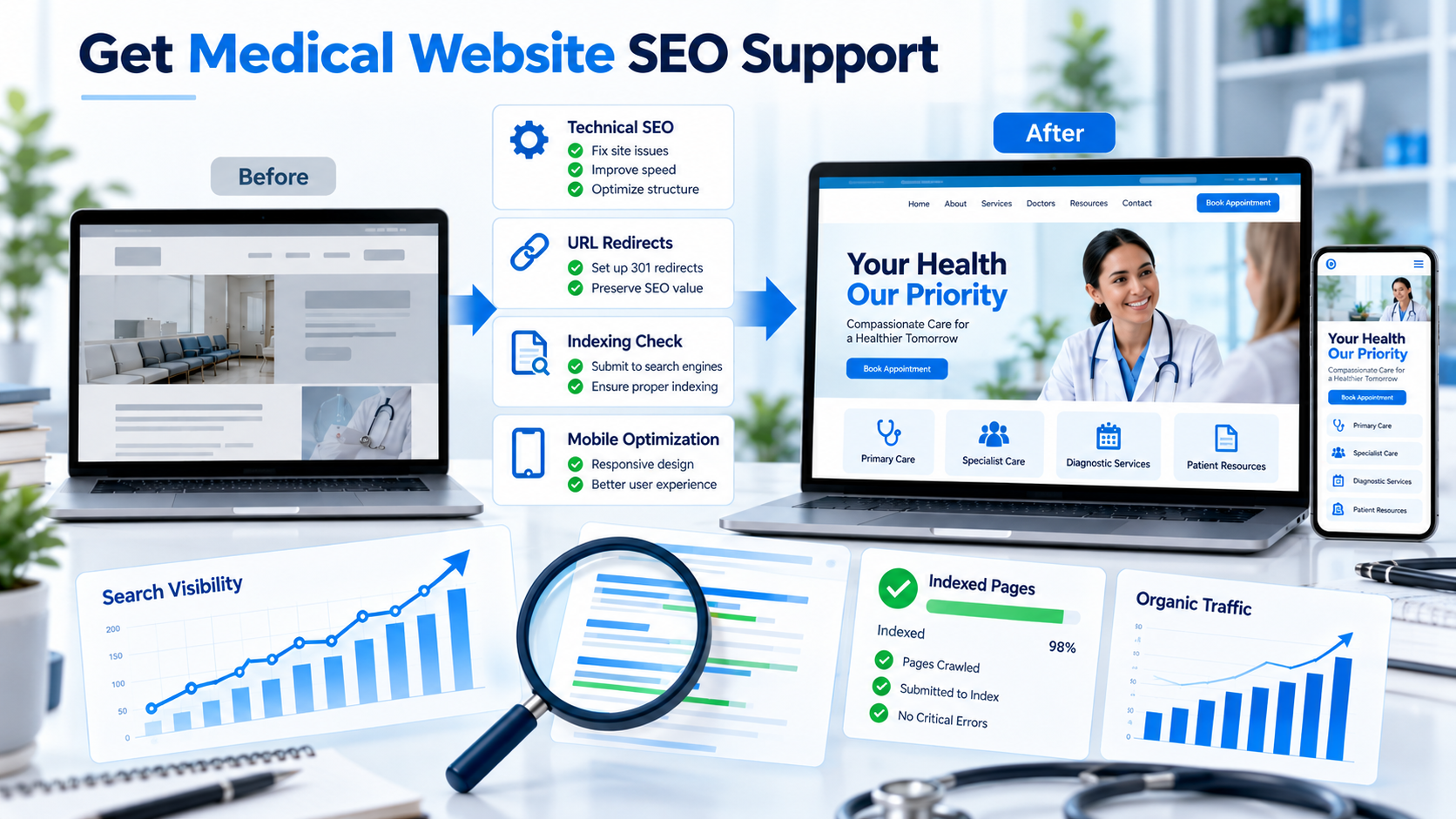
Featured image prompt: Before-and-after medical website redesign shown with a technical SEO dashboard, URL redirects, indexing checks, mobile layouts and search visibility charts. Professional healthcare technology style, blue-and-white palette, 16:9 landscape, minimal text, no logos.
A redesign may introduce a new content management system, URL structure, navigation, page templates, images, or internal links. Even when the new website looks more polished, these changes can affect how search engines discover, crawl, and understand its pages.
A drop in organic traffic after launch does not automatically mean the redesign caused a ranking problem. Seasonality, competition, changes in search demand, tracking errors, and search algorithm updates may also contribute.
The first task is to identify what changed and when.
Before making technical changes, verify your measurement data.
Compare organic search performance before and after the redesign. Use Google Search Console to examine clicks, impressions, queries, and landing pages. Use your analytics platform to review organic sessions and conversion events.
Check whether the decline affects:
If search clicks remain stable but analytics sessions fall sharply, investigate tracking configuration before assuming rankings have declined.
Compare equivalent time periods where possible and account for seasonality.
One of the most important migration checks is the relationship between old URLs and new destinations.
Create a list of valuable existing pages, including their former URLs, current URLs, organic traffic, backlinks where relevant, and intended destinations.
For every URL that has permanently moved, identify the most relevant replacement. Implement an appropriate permanent redirect, usually a 301 redirect, where applicable.
Avoid redirecting every old URL to the homepage. A visitor looking for a particular service should be directed to its relevant replacement whenever one exists.
Also check for redirect chains, redirect loops, broken destinations, and URLs that unintentionally return errors.
A redesign can accidentally introduce settings that prevent search engines from accessing important pages.
Review the following:
Make sure important public pages are accessible and that canonical tags point to the intended versions.
A page appearing in the XML sitemap does not guarantee indexing. Likewise, removing a technical barrier does not guarantee immediate ranking recovery. Search engines need to recrawl and reassess the affected pages.
Website redesigns often involve rewriting service descriptions, removing older articles, shortening pages, or changing headings.
Some changes are beneficial, but removing useful information without a clear reason may weaken a page’s ability to satisfy its original search intent.
Compare important pages before and after launch. Check whether the redesigned versions still explain the services accurately, answer key questions, include relevant provider details, and meet the needs of visitors arriving through organic search.
Do not restore old wording simply because a page previously ranked. Instead, preserve valuable information and improve it where appropriate.
A new navigation system can leave important pages with fewer internal links or make them harder to reach.
Check whether high-priority service pages remain accessible through menus, category pages, related content, and contextual links.
Descriptive anchor text helps visitors understand what they will find on the destination page. For example, a link labelled “local SEO strategies for medical clinics” communicates more clearly than “learn more” when it points to a relevant resource.
Review the website’s medical search relevance strategy when planning how important pages, related topics, and internal links should work together.
Redesigns may change image sizes, scripts, fonts, interactive elements, and page templates. These changes can affect loading performance and usability.
Test key pages on actual mobile devices as well as desktop. Review Core Web Vitals, form behaviour, navigation, image loading, and any elements that block access to important information.
Prioritize issues that affect visitors’ ability to read content, navigate the site, or contact the practice.
A performance issue should be diagnosed rather than addressed through arbitrary changes. For example, image compression, script optimization, caching, and layout improvements solve different problems and should be selected based on evidence.
During migration, title tags, meta descriptions, headings, and structured data may be lost or duplicated.
Review key templates to confirm that each important page has an appropriate title, useful heading structure, accurate metadata, and structured data that matches the visible content.
If the site uses organization, physician, or service-related schema, verify that the details remain accurate and that the markup follows applicable requirements.
Structured data can help search engines interpret information, but it does not guarantee rich results or rankings.
Medical website migration checklist
Confirm the traffic decline using reliable analytics data
Compare important old and new URLs
Implement and test relevant permanent redirects
Check robots.txt, noindex and canonical tags
Submit an accurate XML sitemap
Restore contextual links to important service pages
Test mobile usability and technical performance
Monitor indexing, clicks, enquiries and landing pages
0 of 8 checks completed
After fixing confirmed issues, monitor the website consistently. Review crawling and indexing, organic clicks, impressions, landing-page performance, and meaningful enquiry actions.
Some changes may be reflected relatively quickly, while other issues take longer to resolve. Avoid making repeated, unrelated changes every few days because that can make it harder to identify which fixes helped.
If rankings do not recover, investigate other explanations such as changes in search intent, competitor improvements, content quality, lost backlinks, or a broader decline in demand.
The Medical SEO can help healthcare organizations review technical issues, preserve valuable content, and establish a structured approach to website migration and ongoing search performance.
Potential causes include broken redirects, changed URLs, indexing restrictions, missing content, weaker internal linking, performance problems, or measurement errors. Compare pre- and post-launch data to identify the likely cause.
No. Redirect an old URL to the most relevant replacement when one exists. Irrelevant redirects can confuse visitors and fail to preserve the intended relationship between pages.
There is no fixed recovery period. It depends on the scale of the changes, the issues involved, crawling and indexing, competition, and the quality of the fixes.
An SEO review before launch is strongly advisable. It can identify valuable URLs, content, internal links, metadata, and technical requirements that need to be preserved.
It can support better usability, mobile performance, navigation, and content presentation. However, a visual redesign alone does not guarantee better rankings.
Confirm the decline in Search Console and analytics, then inspect important URLs, redirects, indexing settings, and affected landing pages. Fix verified problems before making broad content changes.
A successful redesign should improve the visitor experience while preserving the useful search assets your website has already built. Diagnose problems systematically and prioritize fixes according to evidence.